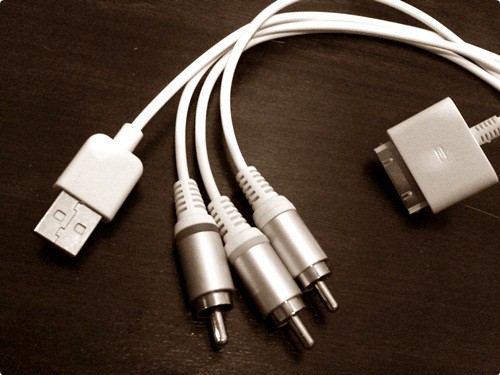
In the most recent update for iTunes, Apple has secretly included installation for MobileMe, a paid service specially for iPod Touch and iPhone owners. MobileMe is a service to keep your iPhone or iPod Touch synced even you’re working on a different computers, as your information will be kept online.

The thing that puzzles me, do Apple expect every of their iTunes user to be an iPod Touch or an iPhone owner? I have been using iTunes for two years and I do NOT own any iPhone or iPod Touch and MobileMe is definitely NOT going to have anything to do with me. I just like the phrase “Apple is installing commercial product without the user realizing it”.

You can have a look under Network and Internet in your control panel if you’re running on Windows Vista. You will see how the beautiful icon is being forced to sit there. Apple just doesn’t seem to understand what is a software update. First they include the entire Safari browser, now a MobileMe. What’s next? Installing the entire Apple website locally so that you can view them offline?

PageRank 7 for SheepTech

I have notice this for quite sometime already since I have the SearchStatus extension installed on my Firefox. I was shocked when it reads the PageRank bar as 7/10 on SheepTech’s main page few months ago during the PageRank update. It must be a glitch or something, I told myself.

It doesn’t sounds right for a new and rarely updated blog to have such a high PageRank, but heck, it happened. While I know it wouldn’t even last, it’s still nice to tell that this blog was once a PageRank 7 holder.

Perhaps it’s the second Malaysian blog that have achieve PageRank 7, with the first one, Zeo, which have his PageRank downgraded to 6. Let’s see how low will SheepTech’s PageRank be after the next update.

P/s: Perhaps Google like the way the sheep lies down on the banner, hah..

Update: Okay, you should have a rough idea how important is a webpage of PageRank 7 to Google by looking at the screenshot below. What is a PageRank 7 when it doesn’t even rank first for its own keyword—but other posts sit the first two slot instead.

Google results for the keyword \"sheeptech\"

WordPress 2.5 have a very neat image uploader that will allow you to upload several images at one go. There are three options when you want to insert an image that you have uploaded into a post, namely Link URL, Alignment and Size.

The default settings for these options are as below:

WordPress 2.5 Insert Image into Post Default Settings

By default, the image will link to the original image that you have uploaded, with no alignment and medium sized. As far as I know, there is no way to change these default options and it is definitely annoying to have a few extra clicks every time an image is uploaded just to make your image to be displayed at your liking.

The only solution I have discovered for the time being is to modify the maximum width and height of the medium sized image. It can be done via Settings > Miscellaneous.

Modify maximum width and height of a medium sized image on WordPress

After changing the maximum width and height of a medium sized image, you can now skip the step to change the image size from medium to full size.

Please do kindly let me know if there is any better way for modifying the preset settings of the image uploader.

If your Firefox give no respond when you click the Page Up, Page Down, Home or End button, you might have activated caret browsing. You might also notice that there will be a blinking text cursor when you click on a passage or text on a website.

You might have accidentally activated the caret browsing without noticing it and started scolding when those buttons won’t work.

Caret Browsing - Firefox

To solve the problem, just simply press on the F7 key.

NO to EntrecardNothing to do with how great or how lousy the system is. Nothing to do with Entrecard in general, just that I cannot disagree more on how people behind Entrecard handle things.

In short, an Entrecard member’s account was deleted because he claims (pure claiming with no proof) that he could drop 300 cards within 5 seconds. This alone has got my disagreement. But things doesn’t stop here.

The member who got his account deleted was questioning for the reason, and the reason given was because he claims that he could drop 300 cards in 5 seconds, even without any concrete proof. Proof such as logs are not given—instead, Entrecard insist that they are doing the right thing to delete a member’s account with the claim alone.

Entrecard also mentioned that in order to restore his account, he must either:

  1. Provide us with the details of the method you utilized to subvertEntrecard security or
  2. Post publically on the same forum thread with the following exact wording:
    I wish to apologize to my fellow Entrecard users for undermining their faith in the Entrecard system in order to boost my ego. I do not in fact have a method for automatically dropping cards rapidly. I also apologize to the Entrecard programmer, who is in fact awesome.

Entrecard also demanded for a scan or digital photograph of a piece of paper, signed and dated by the member, with the following wording:

I commit henceforth never to abuse, or claim to abuse, the security systems of Entrecard.

This shows how proud Entrecard could be of itself. To me, all these shows that they doesn’t appreciate their members or even respect them at all. This have nothing to do with me, but it is enough to make me boycott Entrecard.

Visit the actual forum thread for more details.

Not just YouTube videos to be exact, Omnisio supports videos hosted on Google Video and Blip.tv too. With Omnisio, you can do more with online videos, like adding comments in the video—but it is especially useful for its ability to mash several videos hosted on YouTube, Google Video or Blip.tv.

Merge videos online

There is no need to download a single video or any software. Just simply enter the URL of the online video at Omnisio and you can start adjusting the timeline and add new video to create a new video combining several videos.

The best thing is you don’t even have to sign up in order to use Omnisio. However, a sign up will let you do more like edit the video in future.

If you would like a demo, I have one made for April Fool for my the other blog. It consist of two videos, a HBO joke in 1986’s April Fool, and another video at the end.


You can probably find a better demo on Omnisio itself though.

WordPress 2.5 Logo

WordPress 2.5 has finally released, and WordPress.org has been redesigned to resemble WordPress 2.5’s dashboard. Here is how it looks like for now:

WordPress.org

I have upgraded both of my WordPress blogs to WordPress 2.5, and after just 5 minutes of exploring it, I decided I love the older version better. Two changes on the Write page that really bothers me:

  • The Category selection no longer sits at the sidebar of the Write page, instead, it is now placed under the textarea, which is also below the fold. I forgot to assign categories to my first blog post after upgrading because of this
  • Image uploading looks more difficult this time. Instead of an uploading box ready right below of the textarea, you gotta click on the Add media button this time, and wait for the ajax thing to load, only then you can upload the image. Too much hassle in my opinion

Another thing I noticed after the upgrade:

WordPress 2.5 dashboard footer logo

The logo looks so wrong with the dark background. Doesn’t really bother much, but it can definitely be much better. These are just what I have noticed so far after less than 30 minutes of upgrading, of course there are a lot of other cool features that I have yet to notice, but so far I have only met with inconvenience.

Probably I need time to suit myself to the new environment. Watch the screencast to have a tour of WordPress 2.5’s new dashboard environment.

P/s: Uploading just three images for this post is already a pain

I don’t know Jake (blogs at More Merchant) personally, but I have seen his head for several time as a 125×125 ad button via Entrecard. I saw it again today, but this time, even his body is shown:

Jake Rinard Now With Body

Coincidence actually, for having a t-shirt ad via Project Wonderful just right below his ad. It was spotted at studkickass. It might still be there if you are quick enough. A bigger look:

Jake with body, bigger size

Like YouTube videos but want something fancier than YouTube’s default dull and boring player? Slide SkinFlix can help turning the dull player into one with bling blings within seconds, in which you can embed it on your blog, MySpace profile etc.

Slide SkinFlix

You can choose to pick a video skin (frame) or a theme (butterflies etc flying around on the video)—or even both of them. I made a demo using a video of an Airbus A380 landing at Heathrow Airport, with Fireflies as the theme and a TV as the skin.

The theme thing is quite annoying to me as it’s somewhat blocking the video, but the skin is sure cool, especially when you want something more special than the color and border offered by YouTube.

Have fun customizing your videos!

Of course it is frustrating when you listen to a song you like on radio, but you don’t know who sing that and the song title. You can end that frustration by installing a less than 500KB (after installing) freeware—Tunatic.

The concept is simple. Just let Tunatic to listen to the song that you want to identify, via a microphone, and within seconds, Tunatic will fetch the song name and the artist name from its database if it match something (make sure you’re online, of course).

Tunatic

Best of all, it doesn’t just work for English songs. I tried Chinese songs and it works too! Basically Tunatic will just fetch whatever song information that matches its database. And its database are maintained by the Tunatic community. It collects song information from users who wants to contribute via a program called Tunalyzer. Too bad, Tunalyzer only works on Mac OS X at this moment, else I will contribute too.

I tried recording a song to using my mobile phone, and then play it to Tunatic, and it identify the song perfectly as expected. That would be useful if you listened to a song that you like, either at the radio or in a shopping complex, just grab your phone and record it. When you are home, let Tunatic listen to it, and you will then be able to identify the song name and the artist’s name.

Too bad, Tunatic couldn’t recognize the tune if you sing or hum it. Else you can just remember how to song go, and sing it to Tunatic for the song name. Thilak get it wrong for this part. Once in a while, there will be a really great software coming out from nowhere. This is definitely one of them.

via TechBuzz